
AI Features
Describe the business. Get a starting site.
Tell WebProCMS what the business does, who it serves and how it should sound. AI site generation drafts the pages, the copy and the structure, and every row is editable in the page builder.
A few sentences about the business become a first draft of every top-level page on the site, structure and copy included.
The generated site is made of the same editable rows as any other page. Change any text, image or color in place.
Identity, voice, audience and forbidden claims are read before a single word is written.
Runs on the OpenAI, Anthropic, Google or DeepSeek key you already have.

Help at every step of the build
An assistant inside the page editor, a blog agent for your posts, and generators for the video, favicon and logo a new brand needs. Ask in plain English and edit whatever comes back.
Page-builder assistant
Ask for a change in plain English from inside the editor and it works through the page: reading what is there, proposing edits across several rows, and showing you what it changed before anything sticks. It writes in your brand voice because it reads your AI Knowledge brief first.
Text and content generation
Draft headlines, body copy and whole page sections, or rewrite what is already there. Everything it produces is a normal field you can edit, undo or replace.
Blog agent
Hand it a topic and get a full draft with a featured image, ready to review, categorize and schedule like any other post.
Logo, favicon and video generation
Build a logo from a few choices — layout, shape, style, feel and your brand colours — and read the prompt it writes before you generate anything. Logos come back on a transparent background, sized to sit in a website header, on the most precise image model your setup allows. Derive the favicon and a dark-mode version from the one you pick, and generate short video clips from the same dashboard.
Image generation
Pictures made for the slot they fill
Generate an image straight into any image spot in the page builder, from a hero background to a gallery tile, and keep it in the media library with the rest of your photos.
Four image providers
OpenAI, Stability, Google and fal.ai — including the latest GPT-Image models, with a quality setting per picture. Choose one in Settings and switch whenever you like.
Your key, your account
Generation runs on the provider key you add to the dashboard, billed by that provider to you.
Sized to the slot
The generator reads the width and aspect ratio of the spot you are filling, so a hero comes back wide and a card comes back square.
Alt text written by vision
After the image is made, a vision model looks at the actual result and writes the alt text. Screen readers hear what is on the page, not the prompt you typed.
Preview before you keep it
Generate for one spot and you see a preview before anything is saved. Accept it, or generate again until it fits.
Straight into the media library
Saved images are media items like any upload: AVIF and WebP variants, srcset, focal point and per-image quality.
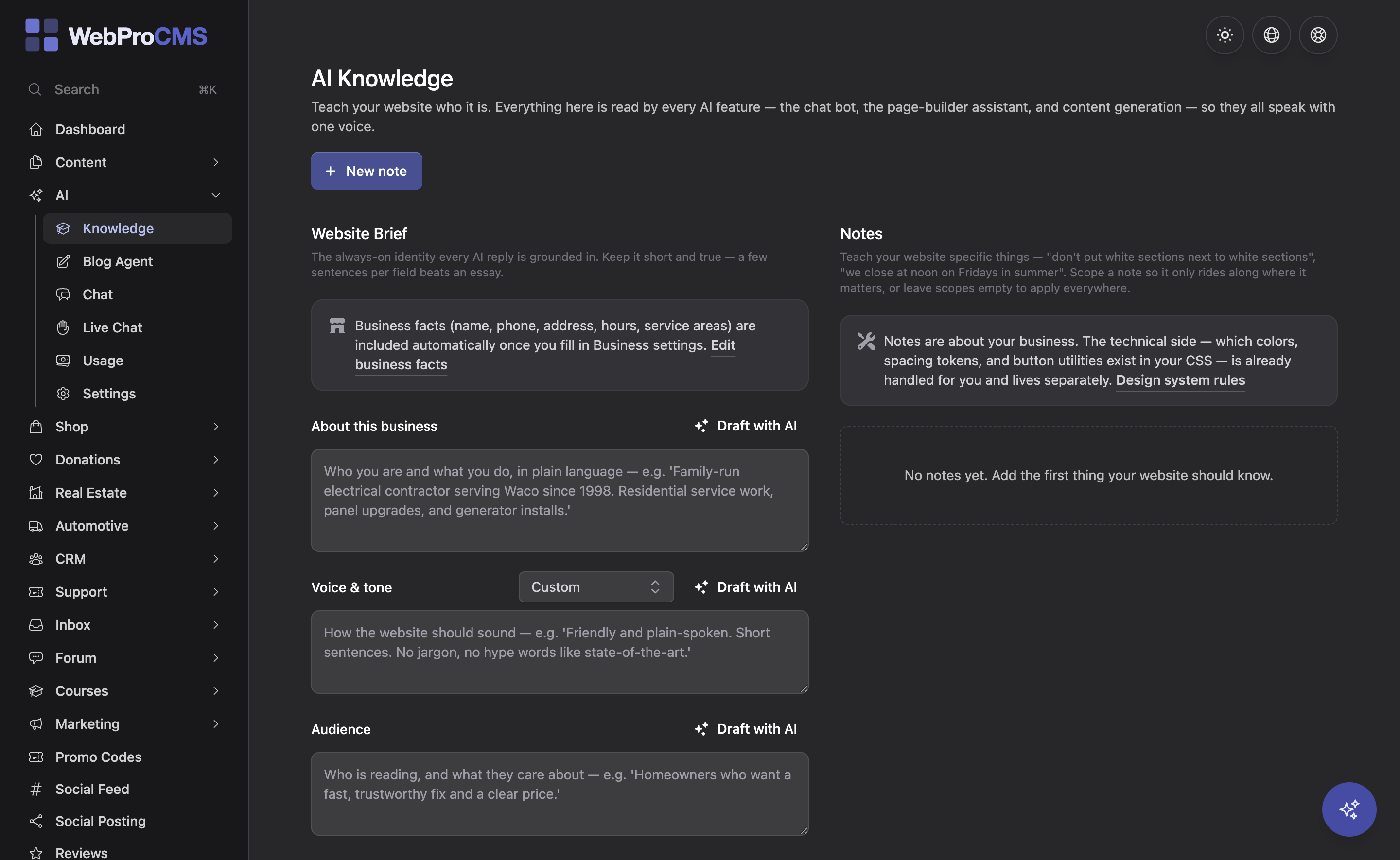
Teach your site who it is, once
The AI Knowledge page holds the brief every AI feature reads before it writes a word: who the business is, how it sounds, who it serves, what sets it apart, and what it must never claim. Add per-topic notes for the chat bot, the design assistant, content generation and SEO.
Because the site generator, the page-builder assistant, the chat bot and the blog agent all draw from the same brief, they never disagree about your brand. A compliance rule you write once holds everywhere.
Read the Docs →Answers for visitors, in their language
A chat bot on the site, semantic search behind it, and translation that gets checked before it ships.
AI chat bot
A chat widget that answers visitor questions from your own site and your AI Knowledge notes, with conversation history. When a person should step in, take the chat over yourself from the Unified Inbox.
Semantic search
The bot understands what a visitor means, not just the words they typed. Someone asking about flickering lights gets pointed at your electrical repair page even though it never uses those words.
Translation with a reviewer
Translate a page, a menu or the whole site into any language you have enabled. A reviewer pass checks the result, and provenance tracking flags a translation as stale the moment the source copy changes instead of quietly serving it.
Two ways to run AI
Add the AI package and every AI feature works straight away on our provider accounts — no signup, no API key to manage. Each month includes an amount of usage, your dashboard shows what is left, and you can top up whenever you need more. Or bring your own OpenAI, Anthropic, Google or DeepSeek key and the whole dashboard runs on that instead, billed by that provider directly to you. The steps below cover the bring-your-own-key path.
Pick a provider
OpenAI, Anthropic (Claude), Google (Gemini) or DeepSeek for text. OpenAI, Stability, Google or fal.ai for images. Mix and match, and change your mind later.
Paste the key
Add it once in the dashboard. Keys are write-only: after you save one it is never shown again, and you can replace or remove it at any time.
Use it everywhere
Site generation, the assistant, translation, the chat bot and the blog agent run on your text key. Images and video run on the image or video provider you picked. Each provider bills your own account at its rates.
AI questions, answered
Still wondering about something?
Talk to Us